


Ballistics Calculator 2026
4.6349.00 Reviews
App Specs
- Version
- 1.999
- Updated On
- License
- Free
- Downloads
- 100,000+
- Developer
- Educational quizzes
- Categories
- Sports
- Platform
- Android
Screenshots
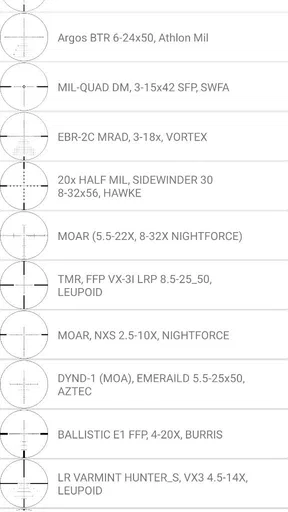
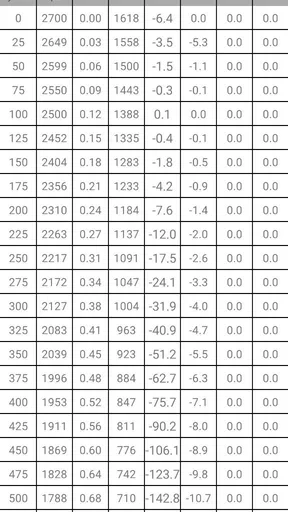
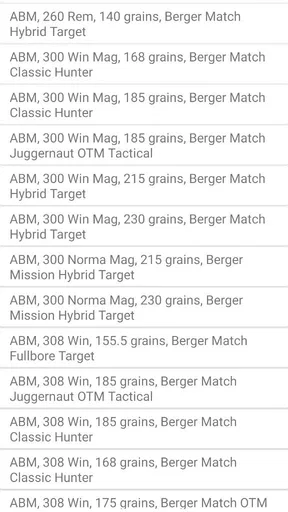
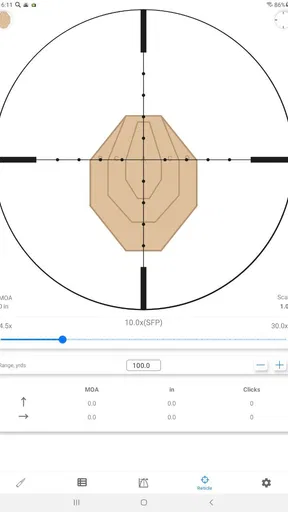
 Analysis by AppCompare
I’d treat a ballistic calculator as a planning aid, not a substitute for confirming a setup safely at the range. If you’re comparing options, the key question is whether you want a focused way to work through ammunition and trajectory figures or a broader shooting companion with extra tools and community features. Ballistics Calculator 2026 is presented as a sports app for calculating bullet drop, and that makes it most relevant to people who already have the inputs for their equipment and want help organizing the math.
That distinction matters because a calculator can only be as useful as the information entered into it. Before relying on any result, I’d check that the ammunition and environmental details match the situation, then compare the calculation with what I observe in a controlled setting. For a new shooter, that measured approach is more valuable than treating a screen result as a guaranteed answer.
Who will get the most from a calculator
This kind of app is a natural fit for a hunter preparing for a lawful outing, a target shooter reviewing a familiar setup, or an enthusiast who wants to understand how changes in inputs affect a trajectory. It can also help someone keep the calculation process in one place rather than repeatedly starting from scratch. The practical benefit is less about replacing experience and more about giving a user a consistent reference point for preparation.
It is less suitable for someone looking for a beginner course in firearm safety, a comprehensive training plan, or a tool that removes the need to verify equipment in person. A person who rarely shoots and has no reliable ammunition or equipment details may find the calculations difficult to interpret. I would also skip it if the main need is live coaching or detailed instruction rather than calculation.
A sensible workflow before heading out
For an ordinary range day, I’d first decide which firearm and ammunition combination I’m checking, then gather the details needed for a meaningful calculation. I’d enter one setup at a time, keep the notes clearly associated with that setup, and avoid changing several variables at once. That makes it easier to understand whether a changed result comes from a different input or from a different configuration.
One useful habit is to treat each calculation as a question, not a verdict. If I want to understand the effect of wind, for example, I’d compare a baseline with a changed wind input while holding the other assumptions steady. That approach is more informative than entering a collection of guesses and accepting the final number without context.
At the range, I’d use the app before shooting to prepare, then compare its output with careful observations made under safe conditions. If the result and observed behavior differ, I’d recheck the inputs rather than trying to compensate blindly. This is a small but important trade-off: a calculator can make preparation more systematic, but it cannot make inaccurate inputs accurate.
Worth Reading Before You Choose

EA SPORTS FC Mobile 26 Is a Bigger Football Game, but It Takes Time

Flipboard Shows What News Apps Must Do Beyond the Feed

Switching to Android Auto Means Rethinking Your Driving Routine

Google Calendar Makes a Crowded Week Easier to Manage

Ludo King Makes the Most of the Minutes Between Plans

Baby Panda World Brings Quick Play to Modern Phones, but Its Game Library Feels Busy
First Impressions and Interface
When I first opened Ballistics Calculator 2026, the clean and intuitive interface caught my eye. It's sleek yet straightforward, which is a big plus for those of us who aren't tech wizards. The main menu lays everything out in a user-friendly manner, allowing you to dive right into the various features without any hassle.
The design is modern, with a dark mode option that’s easy on the eyes, especially during those early morning hunts or late-night shooting sessions. Navigation is a breeze, with each section clearly labeled and accessible.
Key Features
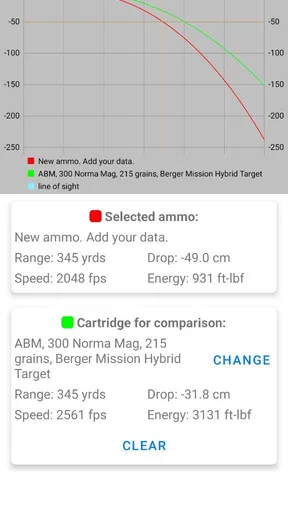
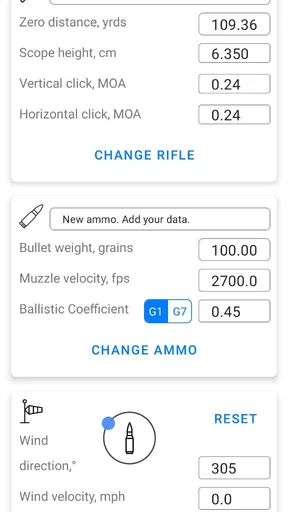
One of the standout features is the trajectory calculation. You input your bullet type, weight, and other vital statistics, and the app does the heavy lifting. The accuracy of these calculations is impressive, making it an invaluable tool for both newbies and seasoned shooters.
Another feature worth mentioning is the windage adjustment. We all know how tricky it can be to account for wind conditions, but with this app, you can factor in wind speed and direction, ensuring your shot lands where it should. It's almost like having a personal shooting coach in your pocket.
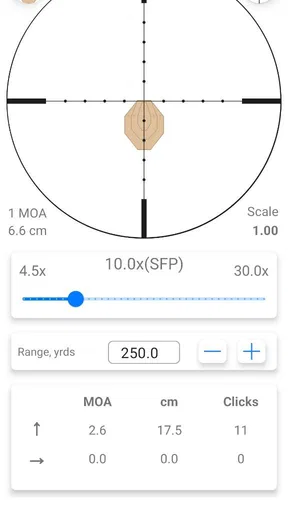
There’s also a range estimation tool that uses your smartphone’s camera to give you an approximate distance to your target. While it’s not perfect, it’s a fun feature to play around with and can be surprisingly accurate with a little practice.
Making estimates useful rather than overconfident
The camera-based distance estimate is best treated as a rough planning aid, not a measurement to trust automatically. I’d use it to get a sense of scale in a familiar, controlled setting, then verify distance with a dependable method before making decisions that rely on precision. Lighting, target shape, and how clearly the target is framed can all affect how useful an estimate feels, so I wouldn’t build a critical calculation on an unverified camera reading.
There is a broader lesson here: separate the app’s different jobs. A trajectory calculation works from the values entered; wind adjustment depends on a realistic view of conditions; and a camera estimate is an approximation. Keeping those roles distinct makes the output easier to judge and helps prevent a convenient feature from being mistaken for certainty.
Customization and User Experience
Customization is where the app truly shines. You can save your own profiles, which is a game-changer if you switch between different firearms or ammunition types. This means no more fiddling around with settings every time you head out to the range.
The app also allows for a degree of personalization, letting you tweak settings to suit your style. Whether you prefer metric or imperial measurements, the app’s got you covered. It feels like the developers really listened to the shooting community while creating this app.
Profiles as a way to avoid mix-ups
Saved profiles are most valuable when they reduce confusion, not just typing. I’d give each one a clear name that identifies the specific equipment and ammunition combination, and I’d review it before using it after a change. A profile from an older setup may still look plausible while no longer representing what is currently in use, so keeping it tidy is part of using the feature well.
For someone who owns only one setup, profile saving may be a modest convenience rather than a reason to install the app. For a user who regularly switches between configurations, it can make preparation more repeatable. The trade-off is that saving a profile does not validate its contents; the user still needs to enter and maintain accurate details.
How it sits beside other options
The usual alternatives fall into a few broad groups: a basic calculator for people who only want to work through figures, a broader ballistic tool for users who want more controls, and paper notes or a spreadsheet for those who prefer to manage their own records. I wouldn’t assume one category is automatically better. A simple option may be easier to check, while a more specialized tool may suit someone who needs a particular workflow. Paper records can be dependable and transparent, but they take more effort to update and consult.
This app’s appeal is the combination described in its feature set: trajectory work, wind adjustment, camera-based distance estimation, and saved profiles. That mix may be more convenient than a bare calculator for a shooter who actually uses each part. If you only need arithmetic, a simpler tool may be easier to audit; if your priority is instruction, a dedicated learning resource is a better match. I’d choose according to the task I need to repeat, rather than the number of features on a menu.
Community and Support
Another aspect that I love about the Ballistics Calculator 2026 is the community support. The app includes a forum-like feature where users can share tips, tricks, and even successful shot stories. It's a great way to connect with fellow enthusiasts and learn from each other.
Customer support is responsive, which is always a relief. I had a couple of questions during my testing, and the support team was quick to assist. It's clear that they care about their users, which is not always the case with mobile apps.
Practical limits and setup questions
Although the app is free to download, it includes in-app purchases priced from around fifteen to sixty dollars per item. I’d look at the available options before paying and decide whether a paid item solves a real need in my own routine. A free starting point makes it easier to explore, but the existence of purchases means I wouldn’t assume every possible use is included at no cost.
The app is listed for Android devices running version seven or later, and it is rated for Everyone. It is made by Educational quizzes, a developer name that does not tell me by itself how deep the ballistic tools are, so I’d judge the app by trying the workflow and checking whether it suits my own level of experience. The current release is version 1.993; when considering any app update, I’d still review my saved settings rather than assuming an update has preserved every detail exactly as expected.
It has a 4.5 average from around twelve thousand ratings, with more than one hundred thousand installs and hundreds of written reviews. Those figures suggest that it has reached a substantial audience, but popularity is not a substitute for checking whether the calculations and interface suit your particular equipment and habits.
Areas for Improvement
No app is without its flaws, and while Ballistics Calculator 2026 is close to perfect, there's always room for improvement. For instance, the range estimation tool, while fun, could benefit from some fine-tuning to enhance its accuracy. Additionally, a few more tutorial videos would be helpful for first-time users to get the most out of the app's features.
Some users have mentioned that they’d like to see more integration with wearable tech, like smartwatches or smart glasses, for real-time data. It’s a niche request but could elevate the app’s functionality to the next level.
When another choice makes more sense
I’d choose a simpler calculator if I wanted only a quick calculation and did not need profiles or the other tools described here. I’d choose a more specialized option if my work depended on a particular advanced workflow that this app does not cover for me. And if I’m still learning the basics, I’d put safety instruction and hands-on guidance ahead of any calculator. The app can support preparation, but it should not be expected to teach every skill or replace sound judgment.
Switching from notes or another calculator has a small but real cost: entering the setup information again and checking that the units and assumptions match. I’d make the change when I expect to use the saved profiles or combined tools often enough to justify that setup. If I only calculate occasionally, staying with a familiar method may be less distracting than moving records simply because a new app is available.
Final Thoughts
All in all, the Ballistics Calculator 2026 is a solid choice for anyone serious about shooting. Whether you're a hunter, competitive shooter, or just someone who enjoys a good day at the range, this app has something for everyone. Its user-friendly interface, combined with powerful features, makes it a must-have tool.
With a dedicated support team and an active community, it's more than just an app—it's a digital companion for all your shooting adventures. So, if you haven’t checked it out yet, I highly recommend giving it a shot. You might just find it becomes an essential part of your shooting gear.
My recommendation is more measured than calling it essential for every shooter: it makes sense if you want a mobile place to prepare calculations and keep more than one setup organized, and you are comfortable checking your inputs. I’d try the free app first, use a controlled workflow, and only consider an in-app purchase if it clearly helps with a task I perform. For someone seeking a simple reference, a teaching tool, or guaranteed field accuracy from a phone, I’d look elsewhere or use this only as one part of a careful process.
Pros
- Intuitive user interface for quick calculations.
- Supports a wide range of calibers and rifles.
- Real-time environmental adjustments.
- High accuracy with detailed ballistic data.
- Offline mode for remote location use.
Cons
- Limited customization for advanced users.
- Occasional lag on older devices.
- Ads in free version can be distracting.
- Requires frequent updates for new calibers.
- No night mode for low-light conditions.
FAQs for Ballistics Calculator 2026
What is Ballistics Calculator 2026 and how does it work?
Ballistics Calculator 2026 is an advanced tool designed for hunters, shooters, and enthusiasts to calculate the trajectory of bullets. It utilizes sophisticated algorithms to consider variables like wind speed, bullet weight, and distance. Users can input their data to get real-time calculations, ensuring accuracy and precision when aiming.
Is Ballistics Calculator 2026 available for both Android and iOS devices?
Yes, Ballistics Calculator 2026 is available for download on both Android and iOS platforms. Users can find it on the Google Play Store for Android devices and the Apple App Store for iOS devices. It’s optimized to work seamlessly across different operating systems.
What features does Ballistics Calculator 2026 offer to enhance shooting accuracy?
Ballistics Calculator 2026 offers features such as customizable ballistic profiles, real-time environmental condition updates, and a rangefinder for precise distance measurement. Additionally, it provides a comprehensive bullet library and the ability to save and share shooting profiles, making it an essential tool for shooters aiming for precision.
Are there any in-app purchases or subscription fees in Ballistics Calculator 2026?
While Ballistics Calculator 2026 offers a free version with basic features, there are in-app purchases for users who wish to access premium features like advanced ballistic profiles and ad-free experience. A subscription model is also available, providing regular updates and exclusive content for dedicated users.
How user-friendly is Ballistics Calculator 2026 for beginners?
Ballistics Calculator 2026 is designed to be user-friendly, with an intuitive interface suitable for both beginners and experienced users. It includes tutorials and help sections that guide users through the setup and use of various features, ensuring that even those new to ballistics can use it effectively.


